The Auction Vista Settings are currently part of the Depth & Sales Settings screen:
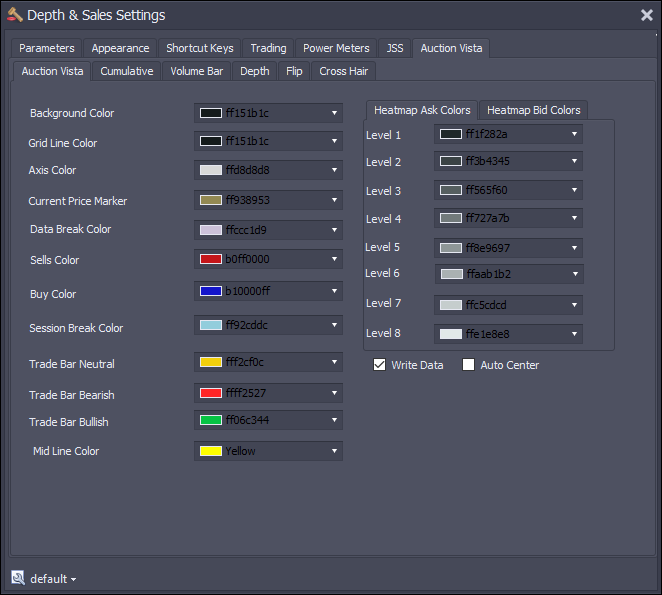
•Background Color - Sets the background color of the chart.
•Grid Line Color - Sets the color of the horizontal line between rows on the Auction Vista chart. Note that if you make the column sizes less than 15 pixels in height, the Grid Lines will not appear.
•Axis Color - The color of the horizontal time axis and the vertical price axis, including the axis lines.
•Current Price Marker - Not currently used. The current price is marked with the Bid Color or Ask Color depending on which side traded last
•Data Break Color - If there is a disconnect in the data feed for 2 minutes or more, there will be a vertical data break line displayed. This looks as follows:
•Sells Color - Color for the "sell side" of the large trade circles
•Buy Color - Color for the "buy side" of the large trade circles
•Session Break Color - Similar to the data break, we display a vertical line when a new session starts.
•Trade Bar Neutral - Shows the prices we traded (high low bars) - if number of buy market orders and sell market orders are the same
•Trade Bar Bearish - Shows the prices we traded (high low bars) - if number of sell market orders exceeds the number of buy market orders
•Trade Bar Bullish - Shows the prices we traded (high low bars) - if number of buy market orders exceeds the number of sell market orders
•Mid Line Color - Separator between inside bid.offer
•Heatmap Ask Colors - A series of 8 colors representing different levels of depth. Level 1 being the least depth and Level 8 being the most.
•Heatmap Ask Colors - A series of 8 colors representing different levels of depth. Level 1 being the least depth and Level 8 being the most.
Finding colors...
If you want to experiment with color selection, try this site: https://meyerweb.com/eric/tools/color-blend/#BD221F:E0AFA1:6:hex
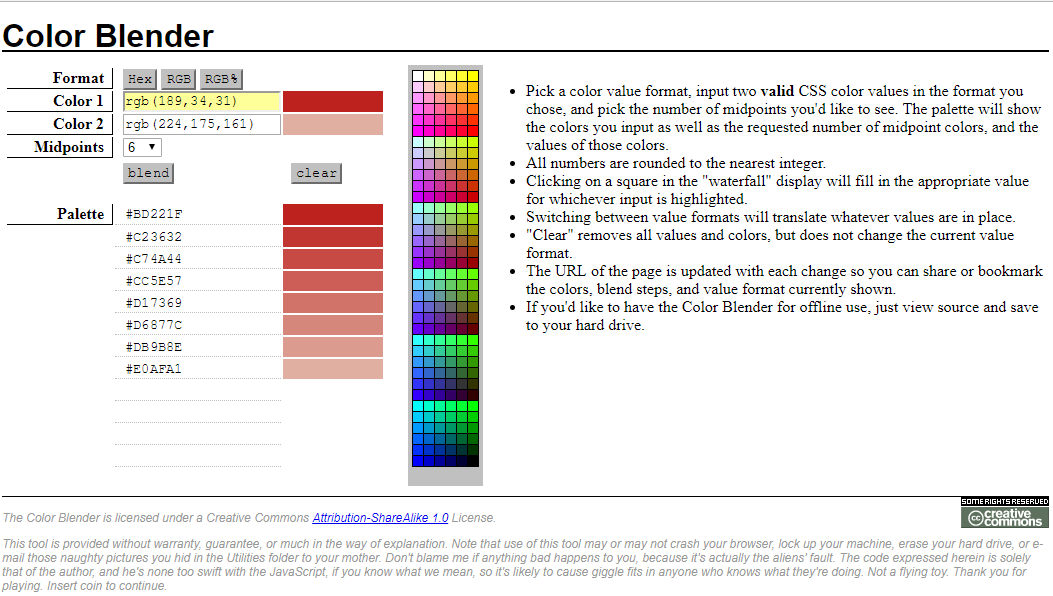
The site allows you to set a start and end color and then plots the colors in between. Set 6 mid points and you'll get 8 colors corresponding to the 8 we have.
•Write Data - By default this is off. When you open the Auction Vista Chart it will be set on. If set on, we will write historical depth and Order Flow information to files in your (My) Documents\Jigsaw Trading\DepthHistory folder. These files are used to keep historical depth information. One file will be written per day, per instrument, per platform. If you switch this off, then no history will be written to the file and next time you open the Auction Vista Chart, you will not see any history for the period it was set off.
•Auto Center - Check on if you want the vista chart to Auto Center
Auction Vista Settings - Cumulative Tab
•Line Color - Color for Cumulative Delta Chart
Auction Vista Settings - Volume Bar Tab
•Sell Color - Color for 'Sell' part of volume bar
•Buy Color - Color for 'Buy' part of volume bar
Auction Vista Settings - Volume Bar Tab
•Sell Color - Color for 'Sell' part of volume bar
•Buy Color - Color for 'Buy' part of volume bar
